Counterscale
Free, self-hosted web analytics in your own Cloudflare account. The step up from Cloudflare Web Analytics when you want UTM reports, history past six months and your own data, still for $0.
What it costs to run
$0 a month for most sites, on the Workers Free plan.
| Your traffic | Cloudflare plan | Monthly cost |
|---|---|---|
| Up to ~100,000 pageviews a day | Workers Free | $0 |
| Up to ~330,000 a day | Workers Paid | $5 |
| 1 million a day | Workers Paid + usage | ~$16 |
- Step up from
- Cloudflare Web Analytics. Adds UTM reports, history past six months and SQL access to your data.
- Tracks
- Pageviews, visitors, bounce rate, referrers, UTM tags. No custom events.
Should you install it?
Yes if you use Cloudflare Web Analytics and want UTM reports, longer history or your own data, without paying for Plausible.
No if you need custom events or funnels. Neither Counterscale nor Cloudflare Web Analytics has them, so look at Umami or Plausible.
What setup takes
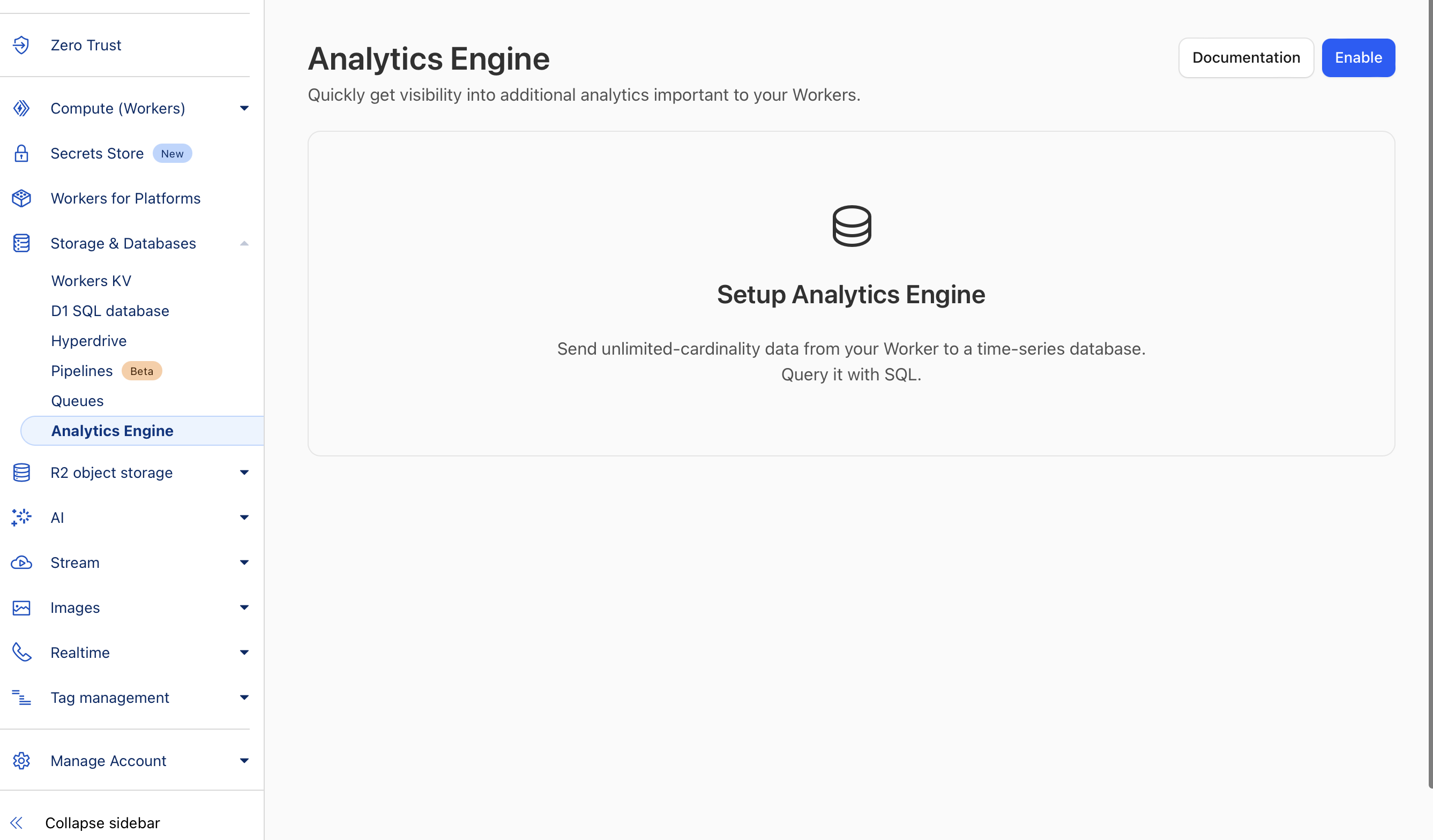
- Enable Analytics Engine in your Cloudflare dashboard.
- Create an API token for the installer.
- Run the installer, which deploys the Worker to your account.
- Add the tracker script to each site.
Full steps are in the project's README.
The review
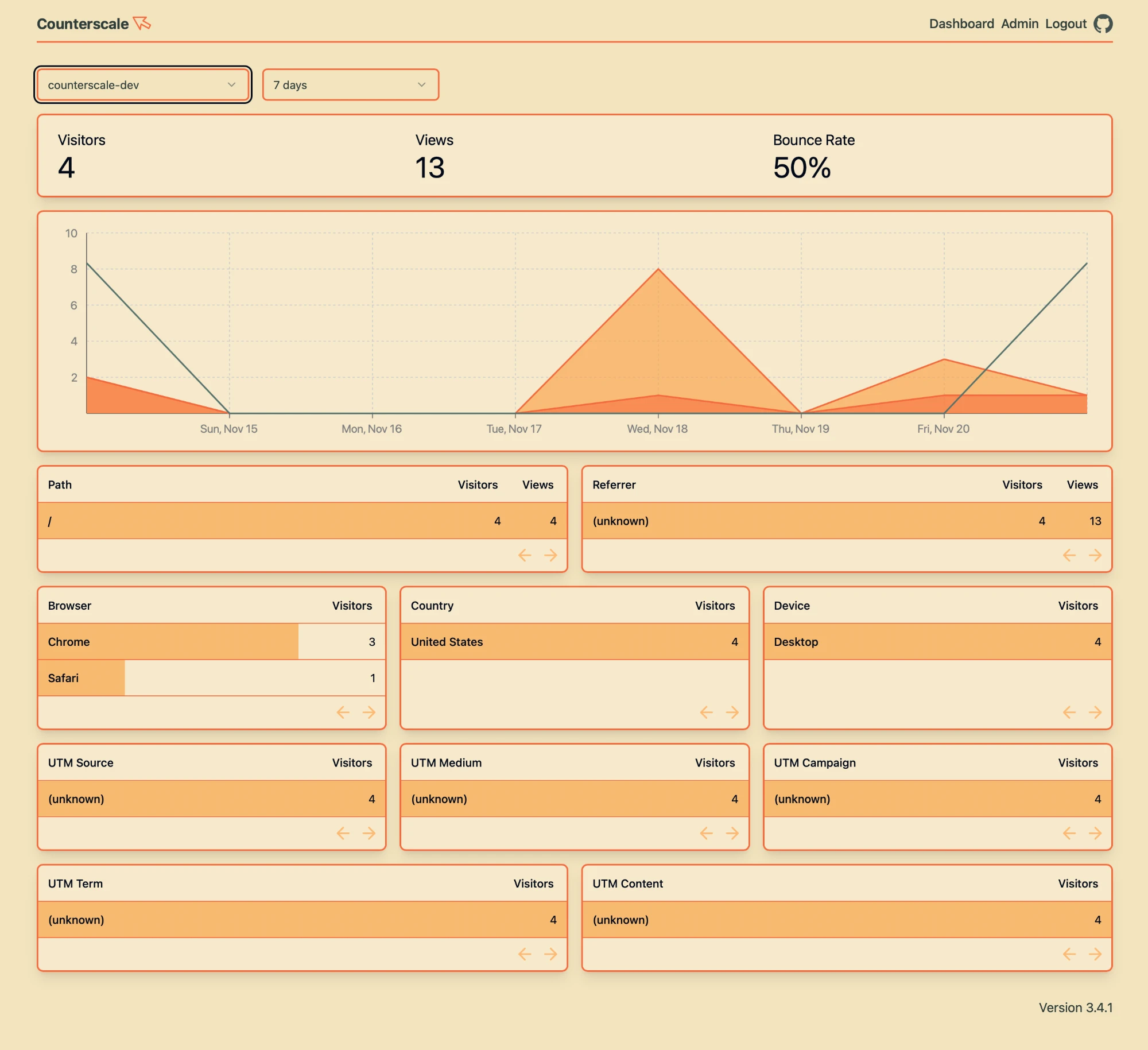
Reviewed Oct 20, 2026 at commitde70cacWe run Counterscale 3.4.1 on mandalivia.com, and this review draws on that as well as the source at the commit above.
Counterscale vs Cloudflare Web Analytics, Umami and Plausible
Counterscale keeps what Cloudflare Web Analytics gets right (it’s free and runs nothing outside Cloudflare) and adds the reports and history it lacks. For custom events you still need Umami or Plausible.
| Cloudflare Web Analytics | Counterscale | Umami Cloud | Plausible Cloud | Plausible CE (self-hosted) | |
|---|---|---|---|---|---|
| Monthly cost | $0 | $0 on Workers Free | $0 for 1 site and 100k events; $20 for 1M | $9 for 1 site, $14 for 3, $19 for 10 (10k pageviews) | Free software, plus a server you pay for |
| What you run | Nothing (a script tag, or automatic when proxied) | One Worker in your account | Nothing | Nothing | Plausible, Postgres and ClickHouse; 2 GB RAM recommended |
| UTM reports | No | Yes | Yes | Yes | Yes |
| Custom events | No | No | Yes | Yes | Yes |
| History | 6 months; sampled to ~10% after 7 days | 90 days in the dashboard; older days as files in your R2 | 6 months on the free plan | No retention limit | As long as you keep it |
| Where the data lives | Cloudflare’s dashboard and GraphQL API | Your Analytics Engine dataset, queryable with SQL | Umami’s servers | Plausible’s EU servers | Your server |
| License | Proprietary, free | MIT | Hosted service (MIT core) | Hosted service | AGPL-3.0 |
Sources, checked Nov 20, 2026: Cloudflare Web Analytics FAQ, Analytics Engine pricing, Workers pricing, Umami pricing, Plausible and the Plausible Community Edition README.
What Cloudflare Web Analytics doesn’t do
Cloudflare Web Analytics counts pageviews for free on any site, but it has no UTM reports or custom events, keeps six months of history, and samples data older than seven days down to about 10%.
For one site and a quick look at traffic, that’s enough. It stops being enough when you want to know which campaign sent the traffic, compare this year with last, or ask your own questions of the raw hits. Cloudflare’s FAQ says it doesn’t log query strings at all, which is why UTM tags never show up, and the data stays in Cloudflare’s dashboard and GraphQL API on Cloudflare’s terms.
How Counterscale fills the gap
Counterscale does the same kind of pageview tracking as a Worker in your own account, writing every hit to Workers Analytics Engine, a time-series store Cloudflare provides once you enable it.
What you gain over Cloudflare Web Analytics is UTM breakdowns, server-side tracking for sites that ship no JavaScript, history kept in your own R2 bucket past the dashboard’s 90 days, and a dataset you can query with SQL. What you don’t gain is custom events.
How Counterscale works
One Worker serves the tracker script, the /collect endpoint and the dashboard, and writes every hit to an Analytics Engine dataset in your account.
The installer (npx @counterscale/cli@latest install) deploys it. Per its wrangler.json, the dataset is WEB_COUNTER_AE, and a nightly cron (0 2 * * *) rolls each day up into Apache Arrow files in an R2 bucket (DAILY_ROLLUPS), which is how the data outlives Analytics Engine’s 90 days. The dashboard covers views and visitors over time, bounce rate, top paths, referrers, countries, browsers, devices and the five UTM fields. You can track from the browser with a script tag or the @counterscale/tracker package, or from the server with @counterscale/tracker/server. A single CLI command puts a password on the dashboard.
How the cost grows with traffic
Each pageview costs one Worker request and one Analytics Engine write, so the bill follows traffic and nothing else.
Workers Free allows 100,000 requests a day across your whole account, so other Workers, dashboard visits and bot traffic all count against the same allowance. Analytics Engine allows 100,000 writes and 10,000 dashboard queries a day on the free plan. Workers Paid costs $5 a month and includes 10 million requests and 10 million writes; past that, requests cost $0.30 per million and writes $0.25 per million. A site with a million pageviews a day writes about 30 million a month, which works out to roughly $16.
Counterscale vs Plausible: cost and setup
Plausible has custom events and costs $9 a month for one site up to 10,000 pageviews; self-hosting it is free but means running Plausible, Postgres and ClickHouse on a server with 2 GB of RAM.
If you don’t need events, Counterscale gets you the same pageview reports without a monthly bill or a server to maintain. If you do, Plausible is the better choice.
Is Counterscale maintained?
Yes, though releases are slow: the MIT-licensed repo was still taking commits in October 2026, and the latest release, v3.4.1, is from December 2025.
Counterscale is Ben Vinegar’s project. He co-wrote Third-Party JavaScript, a book about writing embeddable scripts like this tracker, spent years at Sentry, and now runs Modem, which sponsors the project. He talked through how he built it on Syntax episode 761 in April 2024. Echobind runs a public dashboard on it, and the Hugo community has a thread on wiring it into static sites.
Where it falls short
- Pageviews, not events. There’s no custom-event tracking, so signups, clicks and funnels need something else.
- Bots count as visitors. The collect handler records every user agent it receives. On mandalivia.com, headless Chrome is one of the largest browsers in the dashboard, which inflates the numbers and uses up the free daily allowance.
- Sampled at high volume. Analytics Engine samples busy datasets, so counts on a high-traffic site are estimates.
- The charts stop at 90 days. The R2 rollups keep older data, but as Arrow files for you to query, not history you can browse.
- Cloudflare-only by design. Move your sites off Cloudflare and the analytics have to move too.
Verdict
If Cloudflare Web Analytics has started to feel thin, Counterscale is the cheapest step up, because it stays on the same platform at the same $0 while adding UTM reports, longer history and data you own. It isn’t the answer if what you’re missing is custom events. Then the step up is Umami or Plausible, and it costs money.
Project facts
Tracked daily from GitHub- Stars
- 2,212
- Forks
- 145
- License
- MIT
- Category
- Analytics
- Latest release
- v3.4.1,
- Latest push
- Published
- Refreshed
- Published
Research and source context
This profile is compiled from public repository data. Repository details were captured and the profile was last researched .
More in Analytics
UptimeFlare
An open-source uptime monitoring and status page application that runs scheduled HTTP, HTTPS, and TCP checks on Cloudflare Workers, stores history in D1, and serves a customizable status page with notifications, deployable in a visitor's own Cloudflare account.
cf-workers-status-page
A self-hosted uptime status page that runs on Cloudflare Workers with CRON Triggers and KV storage. It periodically checks configured websites and APIs, displays daily history and response status, and sends Slack, Discord, or Telegram alerts when a monitor changes state. Visitors deploy it via the Cloudflare Deploy Button or Wrangler in their own account.
InsightFlare
An analytics application with a one-click Cloudflare deployment route and one year of default traffic retention.