Fix Obsidian List Spacing After Pasting from AI or HTML
The issue
When I paste content from AI output or HTML into Obsidian, some lines show up with leading spaces (often 4 spaces), which creates awkward spacing and messy lists.
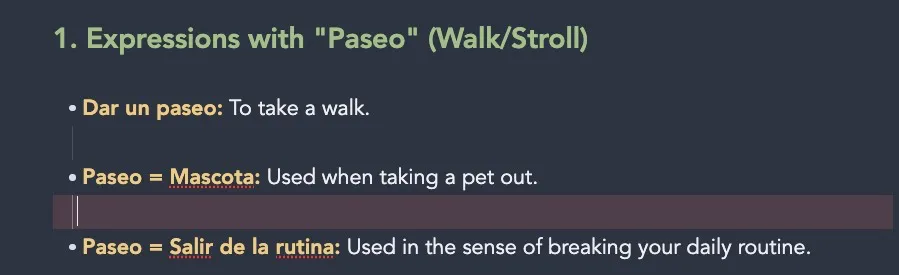
This makes quick capture painful because I have to manually clean formatting before I can keep writing.
The fix
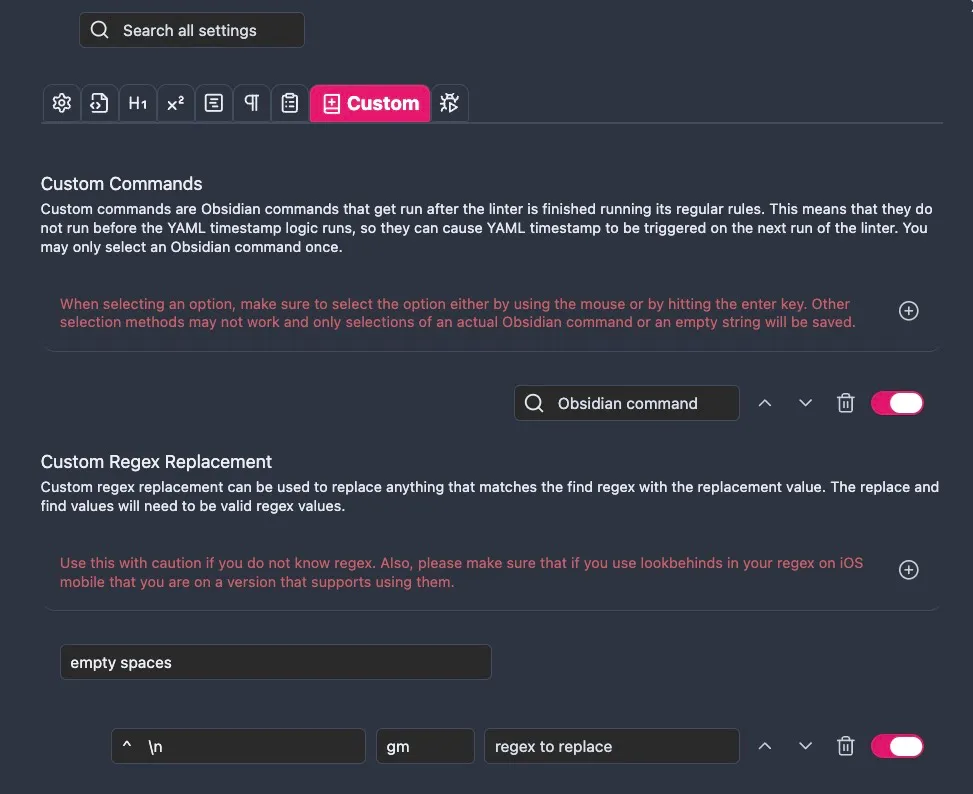
I used the Linter plugin with a Custom Regex rule.
- Regex:
^ {4}\n - Replace: nothing
This removes lines that contain exactly four spaces.
Workflow I use
- Paste content with
Cmd + V - Run Linter with
Opt + Cmd + L
What I learned
Custom regex rules are useful for cleanup cases that built-in linter options do not handle directly.
Also, the regex cleanup does not run by itself. It runs only when the Linter command is triggered, so having a keyboard shortcut is the key quality-of-life improvement.