Add Today's Weather to Obsidian with Templater (Free API)
Why this workflow is useful
I wanted a fast way to stamp today’s weather into my daily note without opening another app.
This script gives me:
- current condition
- temperature context
- high and low for the day
- a friendly icon in the note
The service behind it: wttr.in
This setup uses wttr.in, a free weather service with a simple URL interface.
- No API key is required for basic usage.
- It supports JSON output via
?format=j1. - If I provide a location in the URL, it fetches weather for that location.
- If I do not provide a location, wttr.in infers location from my IP address.
That means I can use one script for travel or local use:
- pass a city when I want precision
- omit location when I want current local weather
Original script (fixed location)
My original script calls:
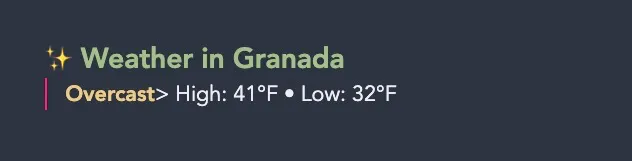
https://wttr.in/Granada?format=j1This is good when I always want Granada weather.
Improved script: optional location with IP fallback
I use this Templater script to prompt for a location. If blank, it falls back to IP-based lookup.
I escaped the Templater delimiters so this example does not execute inside this note. Remove the backslashes when copying into your real template.
\<%*
const locationInput = await tp.system.prompt(
"Weather location (city/zip). Leave empty for current IP location:",
""
);
const location = (locationInput || "").trim();
const endpoint = location
? `https://wttr.in/${encodeURIComponent(location)}?format=j1`
: "https://wttr.in/?format=j1";
let weatherData = {
nearest_area: [{ areaName: [{ value: "Unknown Location" }] }],
current_condition: [{
temp_F: "??",
FeelsLikeF: "??",
weatherCode: "Unknown",
weatherDesc: [{ value: "Unknown" }]
}],
weather: [{ maxtempF: "??", mintempF: "??" }]
};
try {
const res = await fetch(endpoint);
weatherData = await res.json();
} catch (err) {
console.error("Weather fetch failed:", err);
}
const current = weatherData.current_condition[0];
const area = weatherData.nearest_area[0].areaName[0].value;
const description = current.weatherDesc[0].value;
const high = weatherData.weather[0].maxtempF;
const low = weatherData.weather[0].mintempF;
const WWO_CODE = {
113: "Sunny", 116: "PartlyCloudy", 119: "Cloudy", 122: "VeryCloudy", 143: "Fog",
176: "LightShowers", 200: "ThunderyShowers", 227: "LightSnow", 230: "HeavySnow",
296: "LightRain", 302: "HeavyRain", 311: "LightSleet", 353: "LightShowers"
};
const WEATHER_SYMBOL = {
Unknown: "✨", Cloudy: "☁️", Fog: "🌫", HeavyRain: "🌧",
HeavySnow: "❄️", LightRain: "🌦", PartlyCloudy: "⛅️", Sunny: "☀️", VeryCloudy: "☁️"
};
const weatherLookupName = WWO_CODE[current.weatherCode] || "Unknown";
const weatherIcon = WEATHER_SYMBOL[weatherLookupName] || WEATHER_SYMBOL.Unknown;
tR += `### ${weatherIcon} Weather in ${area}\n`;
tR += `> **${description}**\n`;
tR += `> High: ${high}°F • Low: ${low}°F\n`;
%\>How this runs in my workflow
I keep this script inside my daily note template.
Templater runs it automatically every time a new daily note is created, so I do not run the weather template manually.
Caveats I keep in mind
- IP-based location may resolve to a nearby city, not my exact block.
- If the service is unavailable, fallback values (
??) appear instead of breaking the note. - If I prefer Celsius, I switch
temp_F,FeelsLikeF,maxtempF, andmintempFto metric fields. - If I create a daily note for a date other than today, this script still fetches current weather, not weather for that note date.
- I originally found this script pattern online and do not remember the source; if I find it again, I will add attribution.